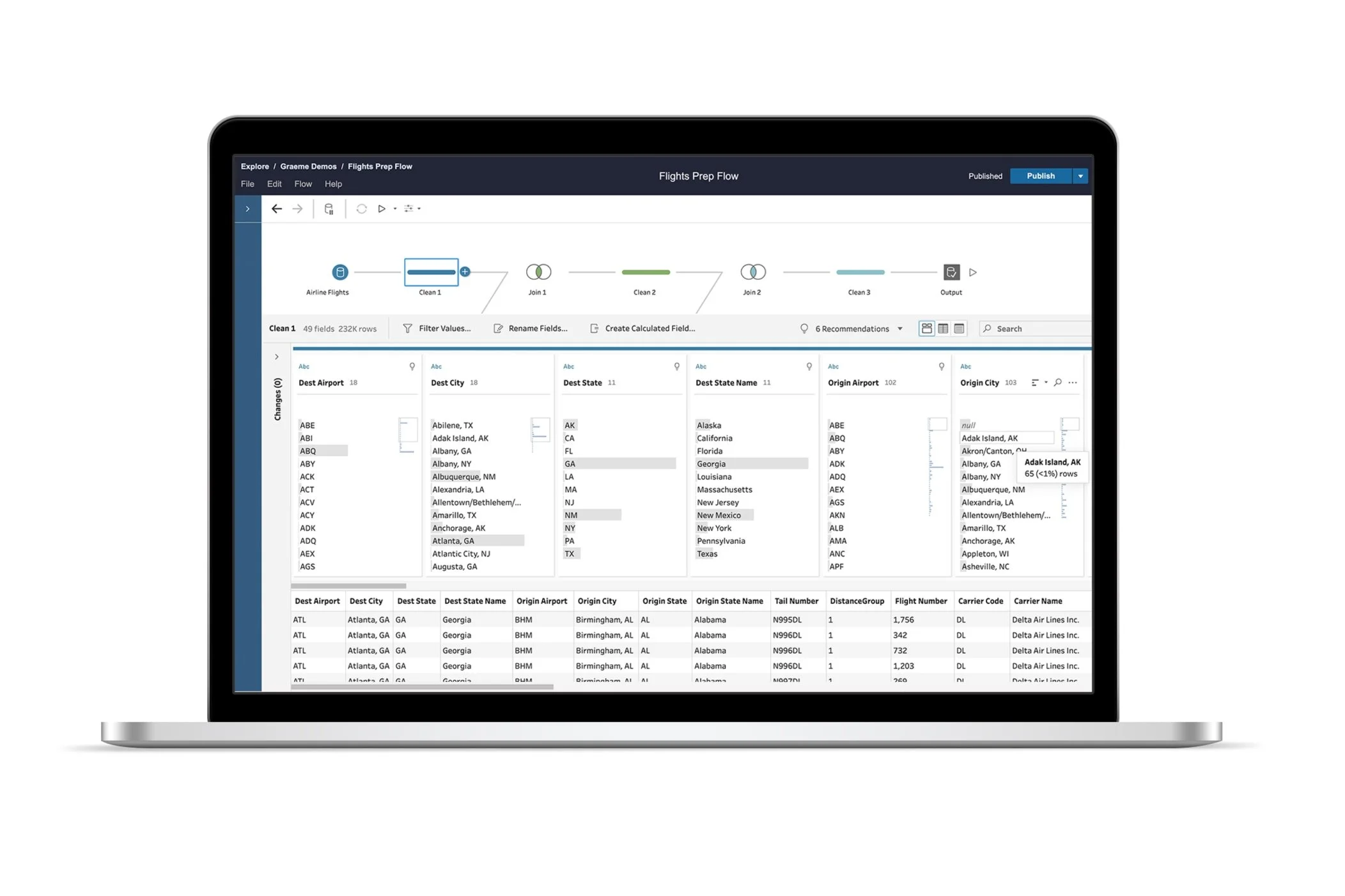
Tableau Prep
At Tableau Prep, I owned the UX design for multiple released features. My consumer product background equipped me to lead the design of interactive and visual aspects of data preparation, supporting Tableau Prep's mission to provide intuitive data preparation experiences with immediate feedback.
Beyond interaction and visual design, I also worked on technical feature areas, including embedded credentials, incremental data refresh, and pivot data recommendations. This work helped me build technical and domain knowledge in the data space.
Senior UX designer
My role
2.5 years (2018-2021)
Duration
Group Steps

Data preparation often involves creating complex flows that cover multiple business rules or cleaning objectives. These complex flows, containing many reshaping and cleaning operations, are often challenging to edit, share, and maintain.
With grouping feature, author can collapse multiple steps into a single group that behaves like a single step, making it easy to copy and reuse in multiple flows, move around in a large flow, or to help with overall flow comprehension.
Insert & Move Steps
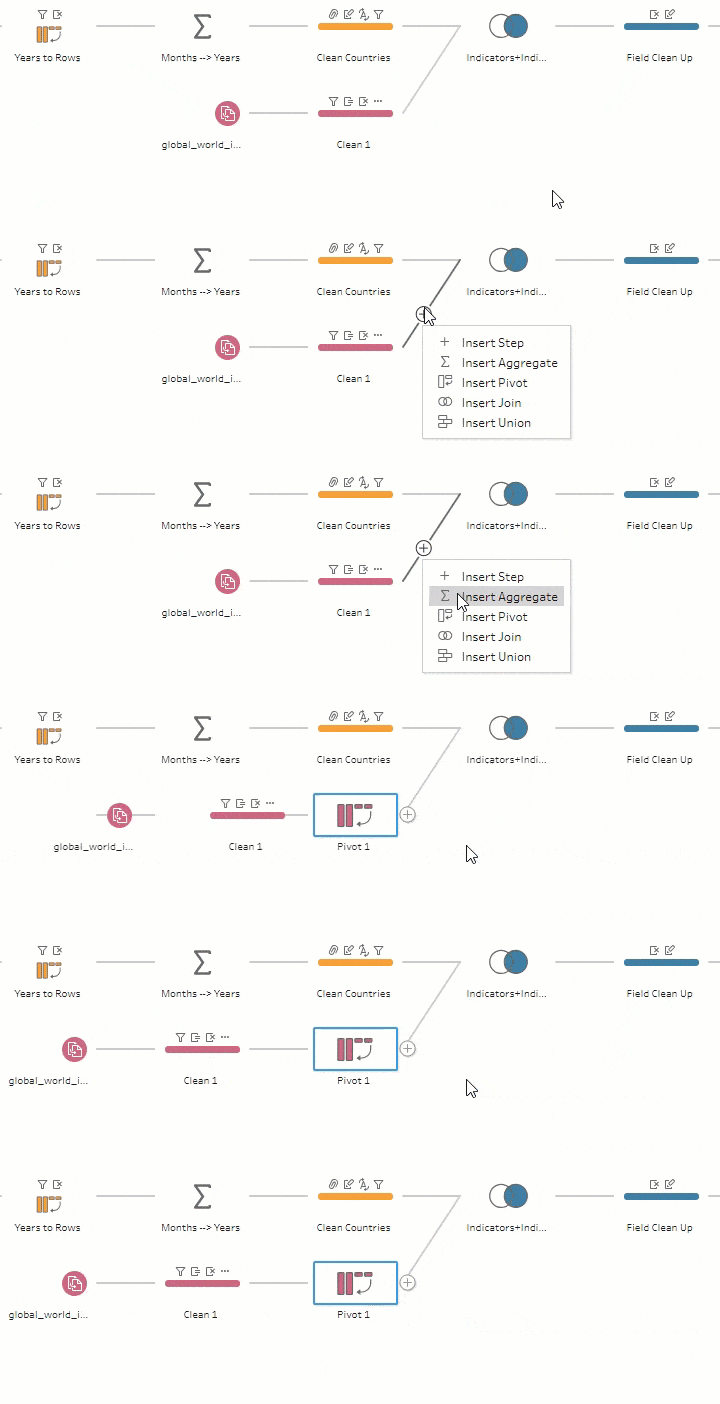

Data preparation workflows often require authors to revisit and modify earlier steps as requirements evolve.
Based on high-priority customer request, I designed intuitive step insertion and repositioning capabilities using clear visual indicators, real-time feedback, and preview functionality that lets users understand workflow impact before committing changes.
Flow Navigator
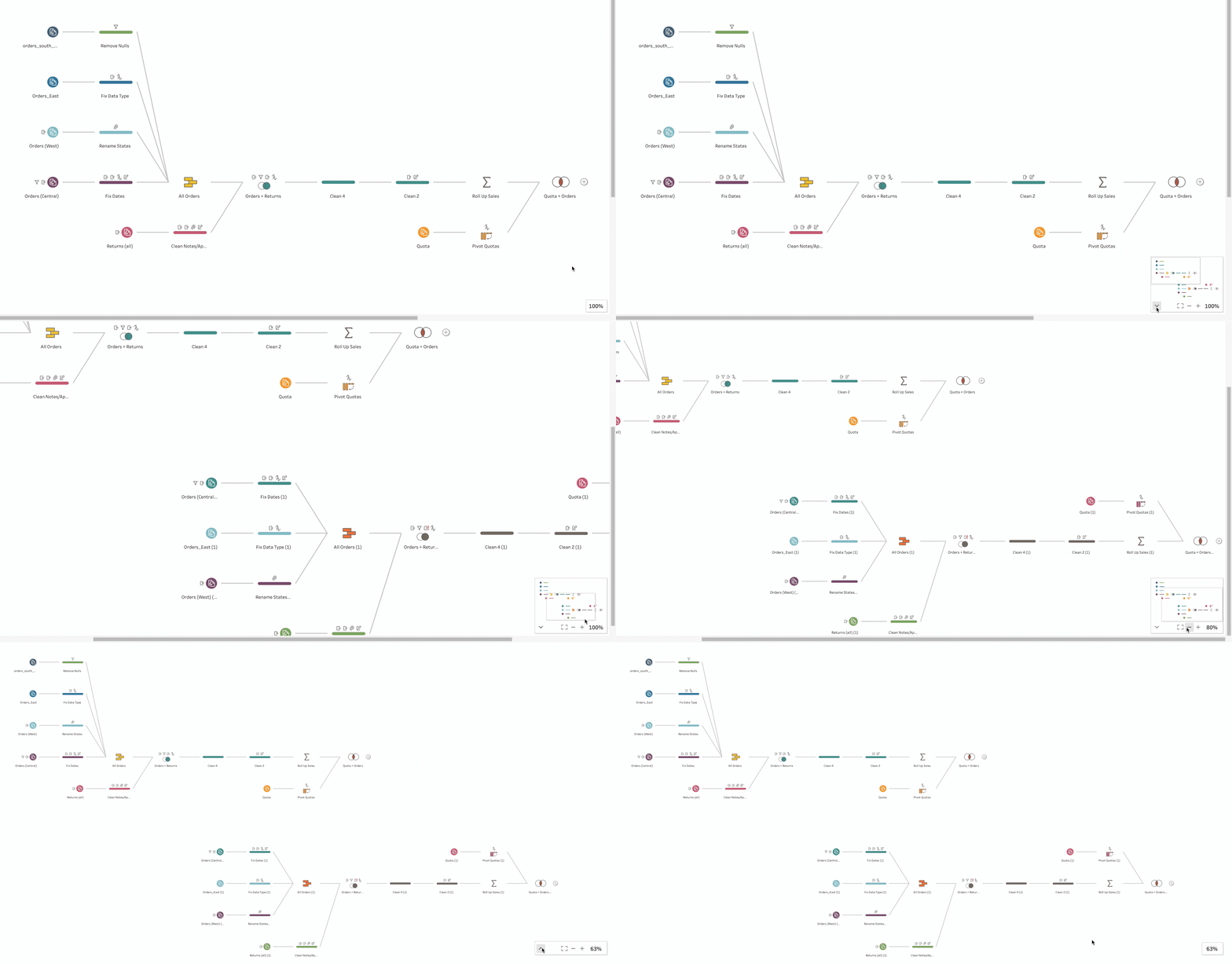
Navigating large flows presents usability challenges, requiring users to scroll extensively to view all steps and understand the overall workflow structure.
For this project, I researched navigation patterns in visual mapping tools and developed several design proposals to address this pain point.
The final released design features a miniature overview of the entire flow with integrated navigation controls. Users can zoom in and out, re-center the view to fit the screen, and access the complete flow at a glance. The navigator can be collapsed when not needed, minimizing its footprint in the main flow area.
Flow Lineage
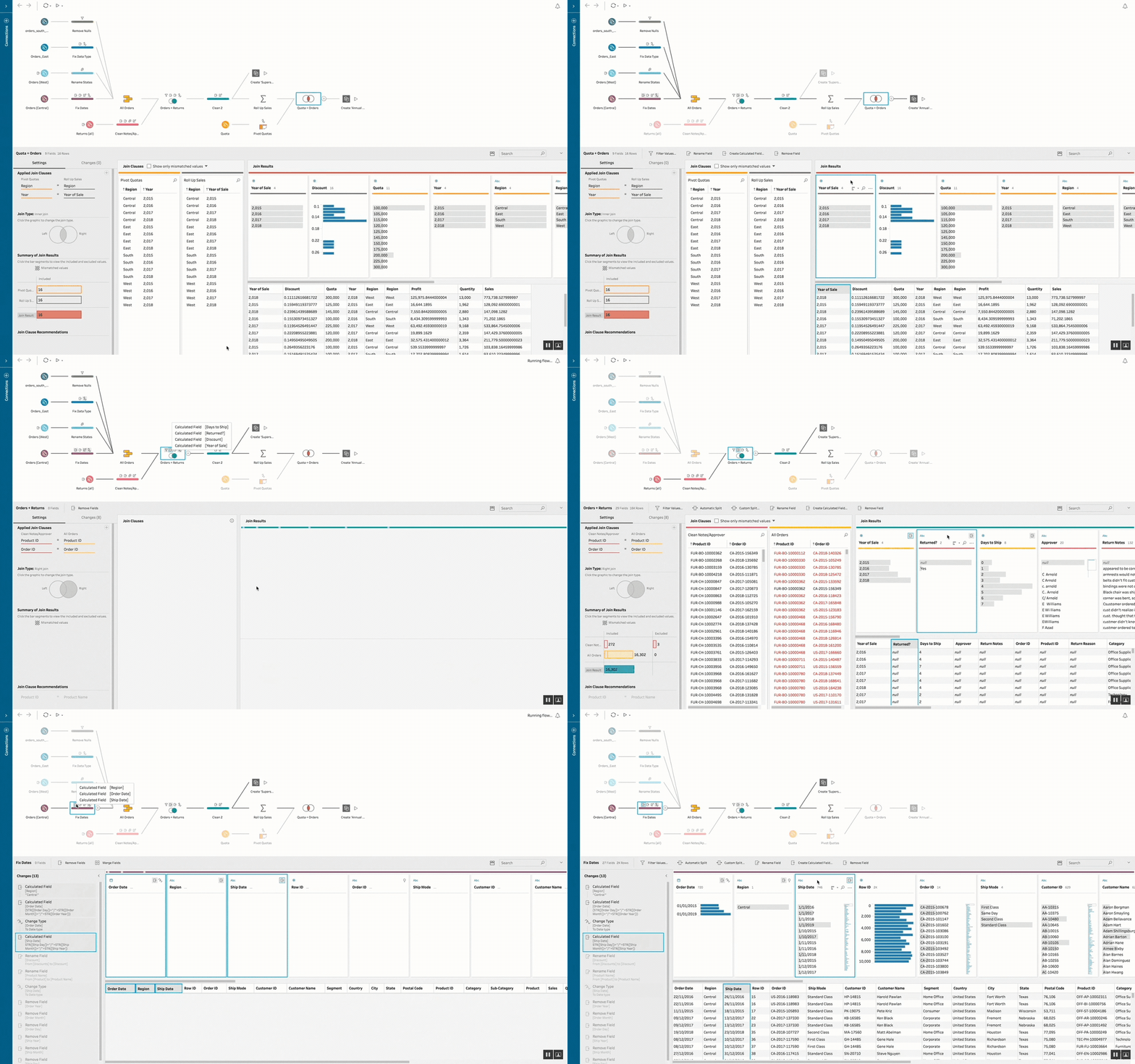
Troubleshooting flows is an essential part of the data cleaning process. Flow lineage reveals the origin and transformation path of fields through visual highlighting on flow connections and steps.
Given the complex visual information already present in the workflow, I thoughtfully crafted an experience that highlights relevant lineage information while visually de-emphasizing other elements.
When authors select a field in any step, they can trace where that field originated and where it flows next, along with relevant annotations documenting changes made to that field throughout the workflow.
Flow Line Revamp
I initiated and led a flow visual revamp project during a hackathon week, working alongside two developers.
I addressed usability issues with the diagonal flow lines that were shipped in the V1 version of Tableau Prep, which created legibility problems and visual clutter.
The new design improved flow line readability by reducing overlaps and adding clear directional indicators. The curved, smooth styling also enhanced visual appeal and professionalism. I developed routing algorithms to minimize line crossings between steps and connections.
This hackathon project was subsequently planned as an official feature release for Tableau Prep in late 2022.

Workflow before revamp

Workflow after revamp
Mapping Connections

When making changes to connections, customers needed a simple way to understand which table or data source corresponds to each input step.
To make the mapping experience direct and self-explanatory, I added highlighting effects on connections that respond to user selection of input steps. With support from the visual team, we finalized colors and visual treatments for connection highlighting states.